
More Customers For Your Business.










.webp)






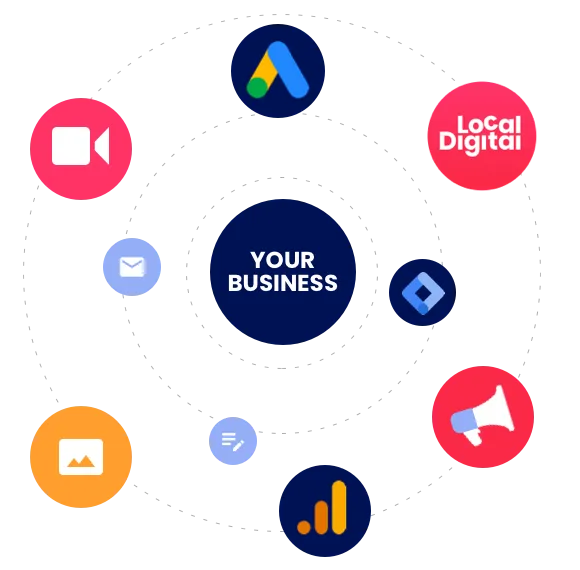
This is Growth as a Service
Watch our totally original story featuring a time travelling Delorean













A Customer Generating approach so good, even our trophies have trophies.











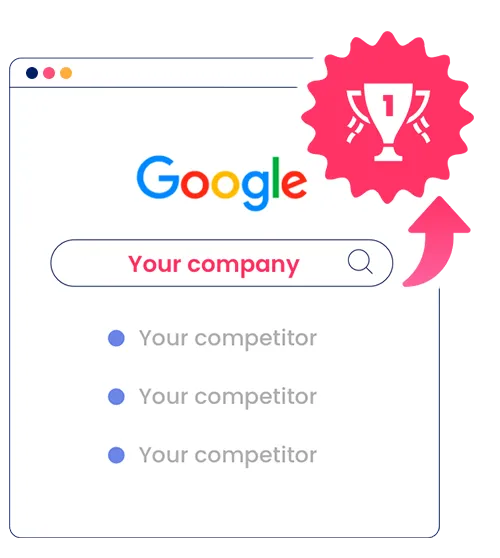
SEO
Google Ads



Facebook Ads
Email & Automation
Why choose Local Digital?


Other Options
Digital Marketing Agency questions
A digital marketing agency is a specialised company that focuses on promoting businesses in the online space. It offers comprehensive digital marketing services that encompass a range of strategies and techniques tailored to boost a brand's online presence.
By employing various online marketing strategies, a digital marketing agency aims to connect businesses with their target audience effectively and efficiently. These strategies may include search engine optimisation (SEO), social media marketing, email marketing, Google Ads, and more.
The core objective of a digital marketing agency is to help businesses achieve their marketing and sales goals through tailored internet marketing solutions. By analysing a company's specific needs, the agency crafts a custom strategy that can include everything from website design and development to online advertising and reputation management.
In essence, a digital marketing agency acts as a comprehensive partner for businesses looking to thrive in the digital landscape, leveraging technology and creativity to drive growth and success.
A digital marketing agency can significantly boost your online presence by implementing a series of strategic actions designed to enhance your visibility and brand recognition on the internet.
One of the key ways they do this is by increasing online visibility. This involves optimising your website for search engines (SEO) to ensure it ranks higher in search results, making it easier for potential customers to find you.
The use of digital advertising techniques is another crucial aspect. Agencies employ various forms of digital ads, such as pay-per-click (PPC), display ads, and social media ads, to target your audience more effectively and drive traffic to your website.
Furthermore, digital marketing agencies excel in building and enhancing brand awareness in the digital space. They create and distribute valuable, relevant, and consistent content across various online platforms. This content not only engages your target audience but also establishes your business as a thought leader in your industry.
Additionally, social media marketing strategies are used to engage with your audience, providing a platform for direct interaction and fostering a community around your brand.
By combining these strategies, a digital marketing agency can effectively amplify your presence online, ensuring that your brand not only reaches a wider audience but also resonates with them, leading to increased engagement, loyalty, and, ultimately, conversions.
Digital marketing agencies offer a diverse range of services to cater to the multifaceted needs of online marketing. These services are designed to enhance a brand's online presence and drive business growth. Key services include:
SEO (Search Engine Optimisation): This service focuses on improving a website's visibility in search engine results pages. By optimising website content, structure, and on-page elements like keywords and meta tags, SEO helps in attracting higher organic traffic, essential for long-term online success.
PPC (Pay Per Click) Advertising: PPC is a model of online advertising where businesses pay a fee each time one of their ads is clicked. This service is invaluable for generating immediate traffic to a website and is highly effective for targeted advertising campaigns. Digital marketing agencies create and manage these campaigns to maximise return on investment.
Social Media Management: Managing a brand's presence on social media platforms is crucial in today's digital world. This service involves creating and curating content, engaging with the audience, and running social media campaigns to enhance brand recognition and loyalty.
Email Marketing: Email marketing remains a powerful tool for direct communication with customers and prospects. Digital marketing agencies design and execute email campaigns to promote products, services, or events, or simply to keep the audience engaged with the brand. This includes creating compelling content, managing email lists, segmenting audiences for personalised campaigns, and analysing the performance of email campaigns.
In addition to these core services, digital marketing agencies may also offer website design and development, content marketing, online reputation management, analytics and reporting, and more, depending on the needs and goals of their clients. These comprehensive services work in tandem to create a cohesive and effective digital marketing strategy.
Digital marketing agencies measure the success of their campaigns through a meticulous approach that involves analytics and reporting, assessing ROI (Return on Investment), and tracking key performance indicators (KPIs).
Analytics and Reporting: Agencies use sophisticated digital analytics tools to monitor various aspects of their marketing campaigns. These tools provide a wealth of data on user behavior, campaign reach, engagement levels, and more. Regular reporting is done to analyse this data, which helps in understanding the effectiveness of different strategies and tactics employed in the campaign.
ROI (Return on Investment): One of the most crucial measures of a campaign's success is the ROI. This involves calculating the financial return on the investment made in the marketing campaign. Digital marketing agencies focus on strategies that maximise ROI, ensuring that every dollar spent contributes to achieving the campaign’s objectives. They analyse revenues generated from the marketing activities against the costs incurred to gauge the profitability and efficiency of the campaign.
Key Performance Indicators (KPIs): Agencies set specific KPIs at the start of a campaign based on the campaign goals. These KPIs could include metrics like website traffic, lead generation, conversion rate, customer acquisition cost, social media engagement, and email open rates. Monitoring these KPIs helps the agency understand how well the campaign is performing against its objectives and allows for adjustments to be made in real-time for optimisation.
By continuously monitoring these aspects, your digital marketing agency can provide insights into campaign performance and make data-driven decisions to refine and improve their marketing strategies for better results.
There is a sea of companies out there all claiming to be the best digital marketing agency Australia has to offer.
They can all look the same right? Claiming to be award winning, best reviewed, case studies etc.
What makes us unique?
Some of our points of differentiation are:
Our founders are digital marketing nerds, not sales people. Many agencies are really just pump houses that focus on sales above all else, because they're started by sales people, not the nerdy digital marketing types. Our founders have been in the game since the noughties - that's a lifetime in digital marketing speak. Their love for digital marketing is at the core of our service. When you work with us, you're working with digital marketers, not sales people.
We have a software developer in-house that builds custom tech stack for our team to use. Innovations like The Brain and Natch allow our team to provide a higher standard of service to our clients, and it's simply tech that other digital agencies don't have.
We publish one of the world's leading SEO podcasts called The SEO Show. We speak to leading SEO voices from across the globe and attend global SEO conferences. When you're immersed in SEO like that you learn exactly wehat works and what doesn't. We have distilled all the knowhow from this into our SEO services, which our clients benefit from. The podcast is published in our Sydney headquarters in Parramatta.
Anywhere from $1,500 a month to $20,000 per month or more.
That's not vey helpful, but it's unfortunately the answer. You pricing will be customised to you and your business realities. What market are you in, how aggressive is your competition, how far behind the competition are you? All of this dictates how much you will need to invest in your agency and in things like Google Ads and Facebook Ads media.
What we can say for sure is that if you're spending less than $1,000 per month on your agency it's unlikely you're getting much for that investment. Think about the time that goes into meetings, phone calls, doing the work, reporting. Then think about how expensive Australian staff are. How does your agency make money if they sell you SEO for $500 or $700 a month? By loading the staff member up with 100 clients, and doing very little, if any work for it.
You want to avoid bottom of the barrel agency services like this. You're better off learning how to do it yourself at this point and growing until you can afford to pay an agency to take it off your plate. We give a lot of free education away on our podcast, our free guides and our blog.
Before hiring a digital marketing agency, it's important to consider several key factors that will ensure you choose the right partner for your business's online marketing needs:
Understand Your Marketing Goals: Be clear about what you want to achieve with your digital marketing efforts. Whether it's increasing brand awareness, generating leads, boosting sales, or improving customer engagement, your goals will guide the agency's strategy.
Know Your Budget: Determine how much you are willing to invest in digital marketing. This will help you find an agency that can work within your budget to deliver effective solutions.
Agency's Expertise and Experience: Research the agency's background. Look for their experience in your industry and the success they've had with previous campaigns. An agency with a proven track record in your sector can be more effective.
Services Offered: Ensure the agency offers the specific services you need, such as SEO, PPC, social media marketing, content marketing, email marketing, etc. The agency should be well-versed in the latest digital marketing trends and tools.
Review Their Portfolio and Case Studies: Look at their previous work to gauge their expertise and style. Case studies can provide insight into how they approach problems and the results they’ve achieved for other clients.
Communication and Reporting: Clear and regular communication is key. Ask how they plan to keep you informed of campaign progress and the metrics they use for reporting. Understand their process for feedback and revisions.
Understand Their Strategy and Approach: Discuss how they plan to approach your digital marketing needs. A good agency should offer a tailored strategy based on your specific goals and audience.
Read Reviews and Testimonials: Check out reviews and testimonials from their previous clients. This can give you a sense of their reliability and the quality of their work.
Ask About Tools and Technologies Used: Inquire about the tools and technologies the agency uses for analytics, automation, and other marketing tasks. This can indicate their level of professionalism and effectiveness.
Long-Term Partnership Potential: Consider if the agency is suitable for a long-term partnership. Effective digital marketing is not a one-time effort but a continuous process of improvement and adaptation.
By carefully considering these factors, you can choose a digital marketing agency that is well-aligned with your business goals, budget, and expectations, setting the stage for a successful partnership.
Determining whether you need a marketing agency depends on several factors related to your business's current situation and future goals. Here are key indicators that suggest partnering with a marketing agency could be beneficial for your business:
Lack of Marketing Expertise: If your business lacks specialised knowledge in digital marketing disciplines such as SEO, PPC, social media, content marketing, or email marketing, it might be time to consider an agency. These areas require specific skills and experience to be executed effectively.
Insufficient Resources: If your current team is overstretched and unable to dedicate time to comprehensive marketing efforts, an agency can fill this gap. They can provide the necessary resources and expertise to manage and implement your marketing strategy.
Stagnant or Declining Sales: If your sales have plateaued or are declining, it could be a sign that your current marketing efforts are not effective. A marketing agency can bring fresh ideas and strategies to reinvigorate your sales.
Inability to Keep Up with Trends: The digital marketing landscape is constantly evolving. If keeping up with the latest trends, tools, and strategies is overwhelming, an agency can help you stay competitive and relevant.
Difficulty in Measuring ROI: If you're struggling to measure the return on your marketing investments or if your campaigns lack clear metrics, a marketing agency can provide expertise in analytics and ROI tracking.
Limited Online Presence: In today’s digital age, having a strong online presence is crucial. If your online presence is weak or non-existent, an agency can help build and enhance your digital footprint.
Scaling Your Business: If you’re planning to scale your business, an agency can provide the marketing horsepower needed to support growth, reaching new markets and audiences more effectively.
Need for a Fresh Perspective: Sometimes, an external agency can provide a fresh perspective and innovative ideas that internal teams might miss due to their closeness to the business.
Managing a Large or Complex Campaign: If you're planning a large or complex marketing campaign, such as a new product launch or entering a new market, an agency can bring the expertise and resources required for a successful execution.
Desire for Consistent Brand Messaging: Ensuring a consistent and professional brand message across all channels can be challenging. A marketing agency can help streamline and maintain brand consistency.
If several of these points resonate with your current business situation, it might be time to consider the benefits a digital marketing agency can offer. They can provide the skills, strategies, and resources necessary to enhance your marketing efforts and achieve your business objectives.
A digital marketing agency can offer a wide range of services and benefits to enhance your business's online presence and marketing efforts. Here's what a digital marketing agency can do for you:
Develop a Comprehensive Digital Strategy: They can create a tailored digital marketing strategy based on your business goals, target audience, and industry trends. This strategy may include various components like SEO, social media, PPC, content marketing, and more, integrated into a cohesive plan.
Improve Search Engine Rankings (SEO): Agencies specialise in optimising your website and content to improve your rankings on search engine results pages (SERPs), making it easier for potential customers to find you online.
Manage Social Media Platforms: They can handle your social media accounts, creating and curating content, engaging with your audience, and running targeted ad campaigns to build your brand presence and loyalty on these platforms.
Execute Targeted Advertising Campaigns (PPC): Agencies can design and manage pay-per-click advertising campaigns on platforms like Google Ads and social media, ensuring your ads reach the right audience to maximise ROI.
Create and Distribute Quality Content: From blog posts and videos to infographics and ebooks, digital marketing agencies can produce various types of content that engage and inform your audience, helping to establish your brand as an authority in your field.
Email Marketing: They can design and implement effective email marketing campaigns to nurture leads, promote products or services, and maintain customer engagement.
Analytics and Reporting: Agencies use advanced analytics tools to track the performance of your marketing campaigns, providing you with detailed reports and insights on metrics like traffic, conversions, engagement, and ROI.
Website Design and Development: If needed, they can design or optimise your website to ensure it's visually appealing, user-friendly, and optimised for conversions.
Online Reputation Management: They can monitor and manage your online reputation, addressing any negative feedback and promoting positive reviews and testimonials.
Market Research and Insights: Agencies conduct thorough market research to understand your industry, competition, and target audience, providing insights that inform more effective marketing strategies.
In essence, a digital marketing agency acts as an extension of your business, equipped with the expertise and resources to effectively market your brand online, attract and retain customers, and ultimately drive business growth.
Determining whether it's worth hiring a digital marketing agency depends on several factors unique to your business situation. Here are some considerations to help evaluate the value of partnering with an agency:
Expertise and Experience: Digital marketing agencies bring a level of expertise and experience that can be hard to replicate in-house, especially if marketing is not your core business. They stay up-to-date with the latest trends, tools, and techniques, which can significantly benefit your marketing efforts.
Resource Allocation: Consider your current resources. If your team is already stretched thin or lacks specific marketing skills, an agency can fill these gaps without the need for additional full-time hires.
Cost-Effectiveness: While hiring an agency is an investment, it can be more cost-effective in the long run compared to building an in-house team. Agencies have diverse skill sets and resources at their disposal, which you can leverage without the overhead costs associated with full-time employees.
Scalability: An agency can scale its services to match your business growth. This flexibility is often valuable for businesses that experience seasonal fluctuations or are in a growth phase.
Fresh Perspective: An external agency can offer new insights and ideas, bringing a fresh perspective that can invigorate your marketing strategy.
Focus on Core Business: Outsourcing your digital marketing can free up time for you and your team to focus on your core business activities, knowing that the marketing side is being professionally handled.
Measurable Results: Digital marketing agencies are adept at measuring and analysing the results of their efforts, allowing for data-driven decisions. This can ensure a better return on investment and more effective use of your marketing budget.
Staying Competitive: If your competitors are using digital marketing effectively and you're not, you may lose market share. An agency can help level the playing field or give you an edge.
Risk Mitigation: Marketing, especially online, can sometimes involve risks such as ad spend waste or PR mishaps. Agencies have the experience to mitigate these risks.
Long-Term Growth: Digital marketing is not just about short-term gains. An agency can help lay the groundwork for long-term brand building and growth.
Choosing the right digital marketing agency for your business is a critical decision. Here's a guide to help you select an agency that aligns with your business needs and goals:
Define Your Marketing Needs: Clearly outline what you want to achieve with your digital marketing efforts. Whether it's improving SEO, boosting social media presence, or increasing lead generation, having specific goals will help you find an agency that specialises in those areas.
Research Potential Agencies: Look for agencies with a good track record and expertise in your industry. Check their website, portfolio, case studies, and client testimonials. An agency's past work can give you insights into their capabilities and the types of clients they cater to.
Consider Their Expertise and Services: Ensure the agency has expertise in the specific services you need, such as SEO, PPC, social media management, content marketing, or email marketing. Some agencies might offer a broad range of services, while others specialize in certain areas.
Evaluate Their Understanding of Your Business: The right agency should understand your industry, target audience, and business challenges. During initial discussions, pay attention to how well they grasp your business needs and how they plan to address them.
Assess Their Team and Culture: The agency’s team and culture should be a good fit for your business. Consider their communication style, transparency, and the way they collaborate with clients. A good relationship with the agency is key to the success of your marketing efforts.
Look at Their Tools and Technologies: Ask about the tools and technologies the agency uses for analytics, automation, and campaign management. The right tools are crucial for effective campaign execution and measurement.
Review Their Pricing and Contracts: Understand their fee structure and what is included in their services. Ensure their pricing aligns with your budget. Also, review their contract terms, especially regarding the duration of the contract and any cancellation policies.
Check for Reviews and References: Look for reviews or ask for references from past or current clients. This can provide real-world insights into how the agency works and the results they deliver.
Consider Their Location: Depending on your preference for face-to-face meetings or local market knowledge, the location of the agency might be a factor. However, many agencies successfully work with clients remotely.
Trust and Transparency: Choose an agency that values trust and transparency. They should be upfront about what can realistically be achieved and keep you informed about the progress of your campaigns.
Remember, the right digital marketing agency is not just a service provider but a partner in your business’s growth. Take the time to conduct thorough research and choose an agency that aligns well with your business objectives and can deliver the results you’re looking for.